Joining our maker community
The DeLaMare Library Makerspace is open to all students, faculty, staff and community members. Everyone is required to complete online training to gain access to the makerspace.
The DeLaMare Library Makerspace is open to all students, faculty, staff and community members. Everyone is required to complete online training to gain access to the makerspace.
All Makerspace users must complete the Makerspace 101 Training in Nevada Online. This will create a training record for you in our Makerspace system and orient you to our community. This introductory course is a prerequisite to all other equipment trainings.
Are you community member wanting to access our Makerspace?
To gain access to the DeLaMare Library Makerspace, community members must purchase a Community Borrowers Card. For more information on how to purchase a Community Borrowers Cards, please visit our Visitor and Alumni Services webpage.
Annual requirement
The Makerspace 101 Training needs to be taken every year, in addition to signing a new Membership Agreement. Our year starts on July 1st and ends on June 30th the following year. Once we hit a new year on July 1st, you will be told by makerspace employees to re-enroll in the course, take the quiz and sign the Membership Agreement. Some content may be changed for the new year, so please read the course content carefully.
The Makerspace provides training for all equipment available to users via Nevada Online. To use a piece of equipment, users must review the online training for that specific equipment and pass the quiz. Once the training is complete, please stop by the makerspace to show our staff your completed quiz score.
Equipment requiring online training:
Some specialty equipment require in-person training with a Maker Wrangler. These pieces of equipment are more complex and require hands on teaching and guidance. Once the training is complete, we will update our records.
Please reserve time with a Maker Wrangler and the piece of equipment to complete the training. Let the Wrangler know when you arrive that this is your first time using it.
No annual requirement
The equipment trainings do not need to be taken every year. Once you complete the training, you will have access to it for your duration at the University. If we acquire new equipment or need to make any major changes to the online modules or in-person training, we will require all users to re-do the training and complete the quiz.
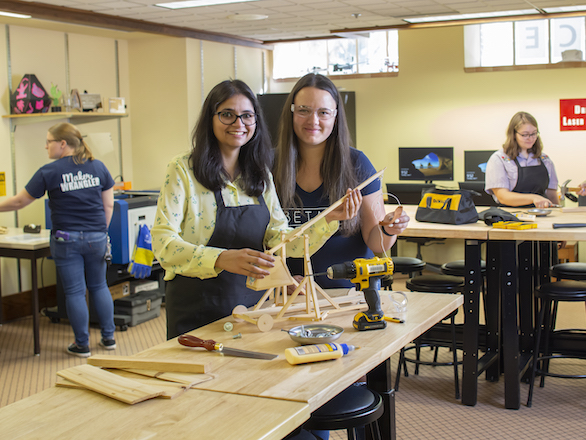
Do you have a specific project in mind, and not sure how to make it? Our expert student Maker Wranglers are available to help talk you through it! These free consultations will teach you how to use all the equipment in our space, as well as provide support with graphic editing and 3D modeling software programs.
Maker Wranglers provide teaching and co-working consultations, usually lasting 1-2 hours. These should not be viewed as a substitute for professional services and Maker Wranglers cannot create your project for you.
We enforce a limit of 2 consultations per project. Users may request additional time by speaking with a staff member. The Makerspace reserves the right to extend or reduce session length at its discretion. We are a teaching library and aim to provide each user the tools to gain the skills to be self-sufficient makers. Through these initial consultations, you will be expected to learn these skills.
We encourage you to make a reservation if you want to use a piece of equipment and/or work with a Maker Wrangler. When you make a reservation with a piece of equipment, please remember to also reserve a Maker Wrangler so that they will have dedicated time to teach you how to use the equipment.