The University of Nevada, Reno students can now search for classes with either no textbook costs at all or that total no more than $40.
This initiative, led by the University Libraries as part of their Affordable Textbook initiative, aims to help make earning a degree more affordable.
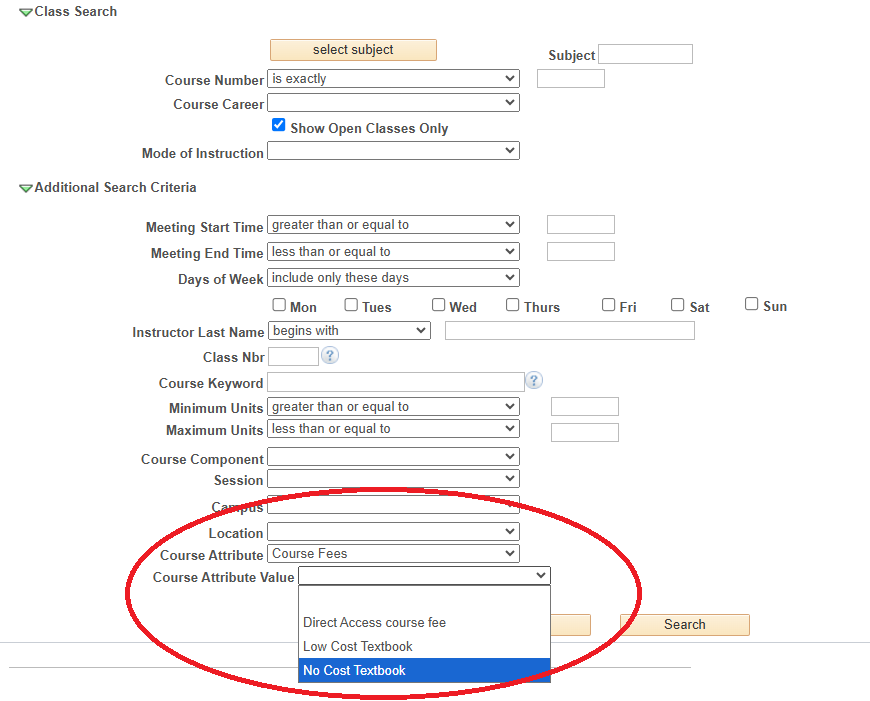
How to search
When registering for classes, students should go to Class Search in MyNevada and use the second-to-last filter, Course Attribute, to select the filter “Course fees.” They can then select the Course Attribute Value filter and choose “No Cost Textbook” or “Low Cost Textbook.”